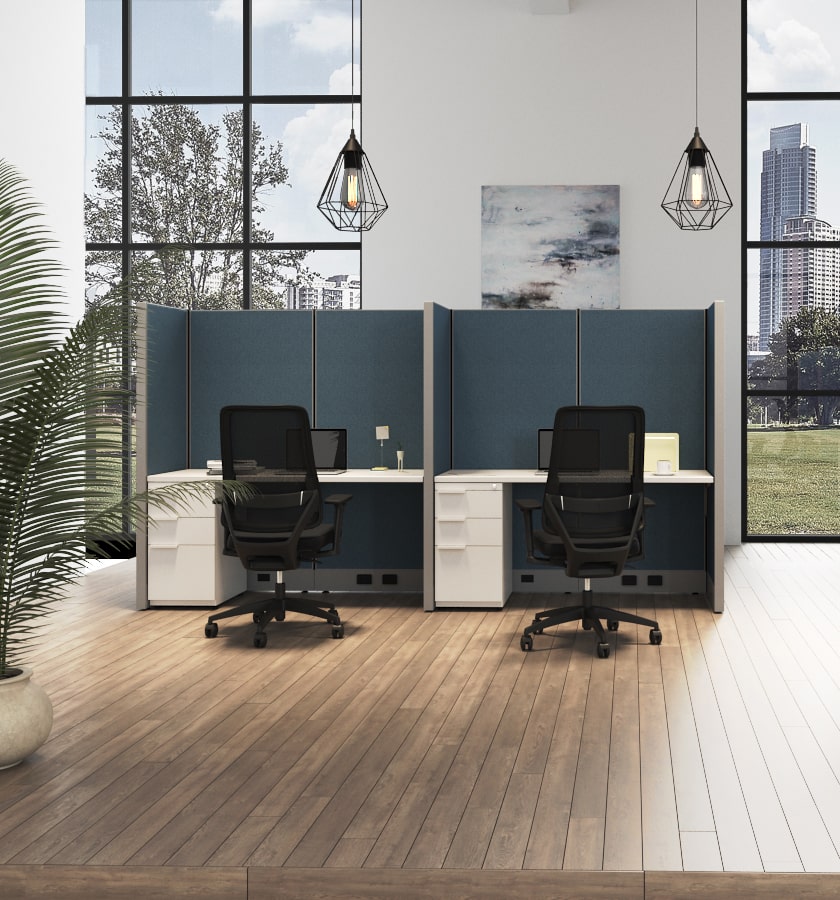
How to Choose the Best Workplace Furniture for Your Office?

Choosing the best workplace furniture is not simply a matter of matching colors or filling empty floor space. A desk that looks sleek in a showroom may feel cramped after a laptop, notebook, and coffee cup arrive. Chairs, desks, storage, and meeting tables should support the actual tasks people perform, while allowing room to move and adjust.

Research offers useful context, though it cannot make the decision for you. Gensler’s 2024 Global Workplace Survey drew on responses from 16,000 workers across 15 countries. It reported that workers in high-performing workplaces were 2.5 times more likely to say their workplace helped them do their best work. The survey does not prove that furniture alone creates better performance. It does suggest that the quality of the workplace experience deserves attention. Leesman’s workplace research likewise measures employee experience across practical areas, including the work setting and facilities. These reports can guide questions, not replace them.

Start with people and tasks. Do employees spend hours at screens, move between rooms, or need quiet focus? Check chair adjustability, desk height, monitor placement, clear walkways, and storage access in the real space. Small details matter. So does a trial period. A chair may suit one person and frustrate another. That is easy to overlook. This guide explains how to compare workplace furniture for comfort, function, durability, and budget—while recognizing that no single layout works for every team. The evidence is useful, but local feedback should shape the final choice.

How to Choose the Best Workplace Furniture for Your Office?

Plan Accessible Layouts Around the ADA’s 36-Inch Clear-Route Minimum

How to Choose the Best Workplace Furniture for Your Office?
Plan Accessible Layouts Around the ADA’s 36-Inch Clear-Route Minimum

Furniture should support daily work without narrowing the path through the office. The ADA generally calls for an accessible route at least 36 inches wide, though specific conditions can affect the required clear width. Measure the usable space between obstacles, not just the gap between desk edges. Chair backs, cabinet handles, and cords can all reduce clearance. A floor plan may look roomy on screen and still feel tight when people move through it.

Tips: Mark a 36-inch route on the floor with painter’s tape before ordering furniture. Test the path with desk chairs pulled out and storage drawers open. Keep bins and power cords out of the route. Check door swings and turning areas, too. Small details matter.

Choose desks and storage that leave the route clear during normal use, not only when everything is tucked away. Walk the layout from the entrance to shared spaces and workstations. Notice where people pause, turn, or carry supplies. That practical check can reveal awkward pinch points early. Requirements may vary with the space and its features, so confirm the final plan against applicable accessibility standards. A quick measurement is helpful, but it does not replace a careful review.

How to Choose the Best Workplace Furniture for Your Office?

Plan accessible layouts around the ADA’s 36-inch clear-route minimum.

Keep a continuous clear route at least 36 inches wide. The ADA permits a 32-inch minimum at a short, limited-length passage; passing spaces and turning spaces require additional room. Check the applicable ADA Standards when planning your office.

Set Desk and Screen Positions Using OSHA’s 20-Inch Monitor-Distance Guidance

How to Choose the Best Workplace Furniture for Your Office?
Set Desk and Screen Positions Using OSHA’s 20-Inch Monitor-Distance Guidance

A comfortable workstation starts with measurements, not guesswork. OSHA’s Computer Workstations eTool recommends placing a monitor at least 20 inches away. Many ergonomic references suggest a working range of about 20 to 40 inches. Sit back in your chair, then adjust the screen so you can read without leaning forward. Keep it directly in front of you, with the top at or slightly below eye level. Small changes matter.

Choose a desk and chair that let your feet rest flat and your elbows stay near your sides. Then move the screen, rather than stretching your neck toward it. If text looks tiny at 20 inches, enlarge it before pushing the monitor farther away. A laptop can make this awkward. A separate keyboard and raised screen may help, though not every desk has room.

The U.S. Bureau of Labor Statistics recorded 946,500 private-industry cases involving days away from work in 2023. That figure covers many injury types; it does not mean poor desk setup caused them. Still, careful positioning is a practical step. I would recheck the setup after changing chairs or moving a desk. It isn’t perfect. Small shifts in posture can undo a careful adjustment.

Select Office Chairs Tested to ANSI/BIFMA X5.1 Performance Standards

Choosing workplace furniture means balancing comfort with evidence of durability. For office chairs, ask whether the exact model was tested to ANSI/BIFMA X5.1. This standard sets performance requirements and test methods for general-purpose office chairs. Testing can examine stability, strength, and durability under defined conditions. It offers useful evidence, but it does not prove that a chair fits every body or task.

Request documentation that names the model and describes the tests completed. A broad statement about meeting a standard may not tell you whether the chair configuration you plan to buy was evaluated. Check the adjustment range, base, casters, and armrests in person. Sit for several minutes, change the seat height, and see whether your feet rest flat while your back is supported. Fit still matters.

A chair that performs well in testing can still feel wrong after a full workday. Watch for pressure behind the knees, a backrest that misses your lower back, or armrests that bump the desk.

Small details count.

I would compare test records with a real seating trial, rather than treating either one as a complete answer. No test can replace how the chair feels in your workspace.

Compare Sit-Stand Desks: A Cochrane Review Found About 100 Fewer Sitting Minutes per Workday

A sit-stand desk can change how an office day feels, but the evidence deserves careful reading. A Cochrane review found that workers using sit-stand desks sat about 100 fewer minutes per workday in the short term. That is roughly an hour and forty minutes. The estimate is an average, not a promise for every office or worker.

The review’s evidence was limited, and reduced sitting does not automatically mean better health. A desk can make standing easier, but it cannot make someone move if meetings and deadlines keep them seated. Look for a stable surface, simple height adjustment, and enough room for a monitor, keyboard, and notes. Check that the desk fits the user’s height in both positions. Small details matter. A screen that sits too low can make standing uncomfortable.

A practical setup should let people switch positions without interrupting their work. Keep frequently used items within reach, and consider a chair that supports comfortable sitting between standing periods. Start with brief changes rather than expecting a full day on your feet. Some workers may find the adjustment awkward at first, and that is worth acknowledging. The review supports less sitting in the short term, but the ideal routine will vary across people and tasks.

FAQS

How wide should an accessible office route be?

Plan for at least 36 inches of clear width. Specific conditions may change the required space.

What can make a route narrower than it looks?

Chair backs, cabinet handles, cords, and open drawers can reduce usable clearance. Measure between obstacles.

How can I test a layout before ordering furniture?

Mark a 36-inch path with painter’s tape. Pull out chairs and open storage drawers to check the space.

What should I check along the route?

Walk from the entrance to desks and shared areas. Check door swings, turning areas, and spots where people carry supplies.

Is a clear route needed only when furniture is unused?

No. Keep the path clear during normal work, with chairs pulled out and storage in use.

What should I ask about an office chair’s testing?

Ask whether the exact model was tested to ANSI/BIFMA X5.1. Request records that identify the model and completed tests.

What should I check when trying a chair?

Adjust the seat height and check whether your feet rest flat. Notice back support, knee pressure, and armrest contact with the desk.

Does test documentation guarantee a comfortable chair?

No. Testing offers useful evidence, but a chair can still feel wrong after hours. Try it in your workspace.