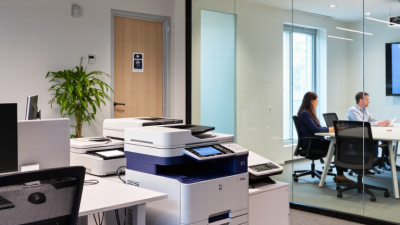
Office equipment is the practical infrastructure that keeps a workplace moving. It includes deskside computers, printers, scanners, copiers, telephones, shredders, projectors, and document-management tools. Some items are highly visible. Others quietly support every task.
Technology analyst Rob Enderle has observed, “The best technology is the technology that people don’t notice.” This idea fits modern office equipment well. A reliable printer should produce clean pages without repeated jams. A scanner should convert a signed document into a readable file within seconds. A business laptop should open essential applications without distracting delays. These small details influence productivity, accessibility, data handling, and employee comfort.
The available choices vary by workplace size, budget, workflow, and security needs. A small design studio may prioritize color accuracy and high-resolution displays. A medical practice may require secure printing and controlled document access. A warehouse office may depend more on barcode scanners, durable computers, and fast label printers. The right equipment is not always the newest equipment. That assumption deserves review. A cheaper device can create hidden costs through maintenance, consumables, downtime, and staff frustration.
This guide explains what office equipment means and how its main categories serve real business needs. It also considers energy use, ergonomics, connectivity, and long-term value. No single setup suits every organization. Careful selection remains essential.
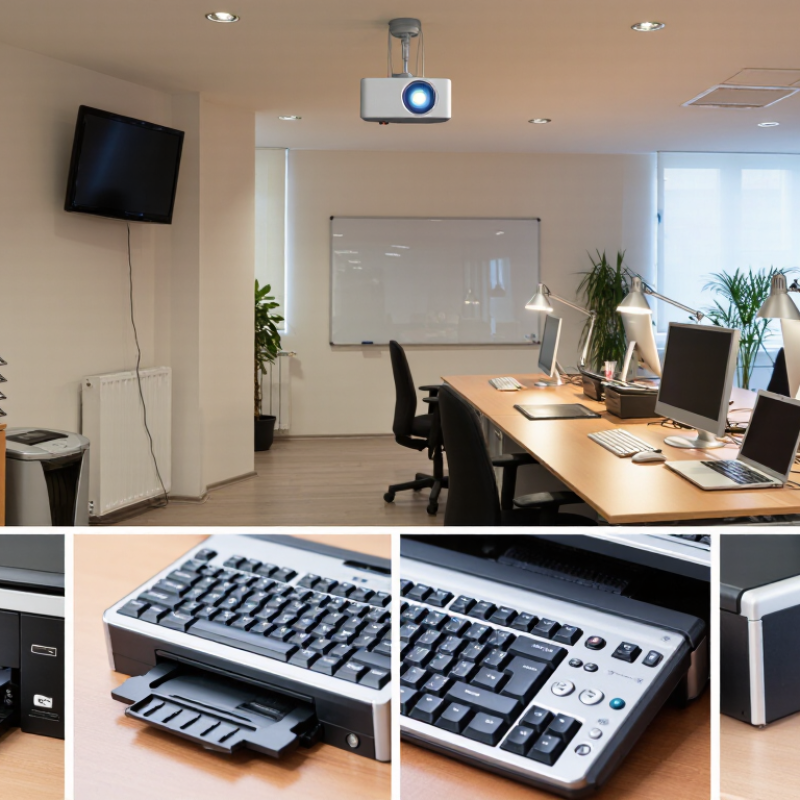
Office Equipment and Its Role in Modern Workplaces
Office equipment is the physical support system behind daily work. It includes desks, chairs, filing cabinets, computers, monitors, printers, phones, and meeting tools. Modern workplaces also depend on scanners, shredders, network devices, and ergonomic accessories. These items turn plans into visible, repeatable tasks. A monitor displays information, while a reliable chair supports concentration during long projects.
Equipment is not merely furniture or hardware. It shapes how people communicate, store records, protect information, and serve customers. From my experience, small failures often create larger delays. A missing cable can interrupt a meeting. A poorly adjusted chair can quietly reduce productivity. The role of office equipment also changes with the workplace. Shared offices may need movable screens and flexible meeting tools. Home offices may need better lighting, sound control, and secure storage. Choosing equipment requires more than comparing prices. Workload, accessibility, maintenance, energy use, and data security also matter. No checklist predicts every situation. A device can look efficient but feel frustrating after a week.
Tips:
List the tasks before selecting equipment. Measure the room and available power points. Test chairs, screens, and shared devices with actual users. Keep frequently used tools within easy reach. Maintain a simple log for cleaning, updates, and repairs. Review the setup after one month. Ask whether it saves time or adds another step. Good equipment should support people, not dominate their attention.
Office equipment includes the tools and physical systems that help people work safely, accurately, and efficiently. Core categories begin with office furniture, such as desks, adjustable chairs, filing cabinets, and monitor stands. Good furniture supports posture during long tasks. A stable desk also reduces clutter and accidental damage.
Computing equipment forms another central category. Desktop computers, laptops, monitors, keyboards, mice, docking stations, and power protection devices support daily digital work.
Printing and document equipment includes printers, scanners, copiers, shredders, and paper-handling supplies. In a busy office, a scanner with a clear document feeder can save considerable time.
Communication equipment may include desk phones, headsets, meeting cameras, speakers, and display screens for collaboration.
Storage and safety equipment deserve equal attention. Lockable cabinets, shelving, cable organizers, surge protectors, first-aid supplies, and fire-safety devices protect both people and information.
I have seen offices buy powerful computers while ignoring poor lighting and tangled cables. That choice created slower work and more minor accidents. My own planning was too focused on purchase price at first. A cheaper chair, for example, may require earlier replacement and cause discomfort.
Equipment needs also change with staff numbers, room size, accessibility requirements, and work patterns. Some categories overlap. A multifunction device can print, scan, and copy, but it may become a bottleneck when many employees use it at once.
What Is Office Equipment and What Types Are Available?
Choosing equipment should begin with work patterns, not a catalogue. A finance team may need dual monitors, secure document scanners, and fast network storage. A design group may require color-accurate displays and stronger graphics performance. Front-desk staff often need reliable phones, badge readers, and compact printers. The right choice is task-specific.
Remote and hybrid work have changed that calculation. The U.S. Bureau of Labor Statistics reported that 22.3% of employed people teleworked in August 2024. That figure supports flexible equipment plans, including laptops, docking stations, headsets, and encrypted access tools. The International Data Corporation also forecasts continued growth in worldwide device spending through 2025, but more devices do not automatically create better work. A crowded desk can slow decisions.
Measure the actual workflow. Count daily print jobs, video meetings, shared files, and peak users. Choose equipment with accessible controls, adjustable screens, and low noise for concentrated work. Energy use deserves attention too. The U.S. Environmental Protection Agency notes that efficient office equipment can reduce electricity demand and operating costs. In practice, compatibility is often overlooked. A cheaper scanner may fail with existing software, creating hidden labor. I have seen teams overbuy conference equipment for rooms used twice weekly. That decision looked professional, but it was difficult to justify later. Test one workstation first, collect employee feedback, and revise the plan before expanding.
Office equipment includes the tools used to process information, communicate, produce documents, and support daily workplace operations. The chart compares the standard U.S. tax recovery period for common equipment categories, which can help organizations plan replacement cycles and budgets.
Source: U.S. Internal Revenue Service, Publication 946, Table B-1. Recovery periods are tax classification periods, not guaranteed physical lifespans.
Office equipment now includes more than desks, printers, and filing cabinets. It also includes technologies that help people communicate, create, and manage information. A shared calendar can prevent double bookings. Video meeting systems connect remote colleagues with clearer voices and stable images. Collaborative documents let several employees edit one file without sending confusing attachments.
Efficiency often improves through small, practical tools. A document scanner can turn paper records into searchable files within minutes. Network storage gives approved users access to current materials from different workstations. Task management software shows deadlines, responsibilities, and delayed work in one place. Large displays can make planning sessions more visible, especially when teams examine charts or floor plans together. Good equipment should save time, not create another complicated process.
Security and maintenance also shape workplace performance. Access controls should match each employee’s role, while regular backups protect important files from accidental loss. Clear usage instructions reduce mistakes, particularly for new staff. In my experience, reliable equipment matters more than impressive features. A fast printer that frequently jams wastes attention. A sophisticated meeting system is unhelpful when nobody understands its controls. One larger screen did not automatically improve collaboration. The team still needed listening habits and clear decisions. That was easy to overlook. Office managers can review equipment logs, user feedback, and repair costs every few months. These details reveal whether a technology genuinely supports daily work or merely occupies valuable space.
What Is Office Equipment and What Types Are Available?
Office equipment includes computers, monitors, printers, scanners, telephones, shredders, and ergonomic accessories. Safe management begins with a simple inventory. Record each device’s location, age, user, maintenance date, and electrical condition. A printer with a frayed cable should not remain beside a crowded walkway.
Maintenance should follow manufacturer specifications and workplace risk assessments. Clean ventilation openings regularly. Replace damaged plugs promptly. Keep paper cutters and shredders away from loose clothing and untrained users. The U.S. Bureau of Labor Statistics recorded 888,100 private-industry cases involving days away from work in 2023. Many workplace injuries involve movement, posture, or overexertion. Adjustable screens, supported wrists, and clear desk space can reduce avoidable strain, although they cannot correct every poor habit.
Safety checks need real observation. A checklist may say “workspace compliant,” while an employee still twists toward a second monitor for eight hours. That gap deserves attention. Responsible management also covers disposal. The Global E-waste Monitor 2024 reported 62 million tonnes of electronic waste generated worldwide in 2022, with only 22.3% formally collected and recycled. Organizations should track retired equipment, remove stored data securely, and use documented recycling channels. Repairing a usable monitor is often better than replacing it automatically. Not always, though. Older equipment may consume more electricity or create recurring faults, so lifecycle cost should guide the decision. Regular reviews expose these uncomfortable trade-offs.
| Equipment Category | Typical Examples | Primary Office Use | Recommended Maintenance | Key Safety Considerations | Responsible Management Practice |
|---|---|---|---|---|---|
| Computing Equipment | Desktop computers, laptops, monitors, keyboards, and docking stations | Document creation, communication, data processing, and access to business applications | Install approved updates, clean ventilation openings, inspect cables, and check backup status regularly | Keep liquids away, maintain clear airflow, use suitable electrical outlets, and adjust screens to reduce eye and neck strain | Record assigned users, protect access with strong authentication, securely erase data before disposal, and extend useful life through repair |
| Printing and Imaging Equipment | Printers, scanners, photocopiers, and multifunction devices | Producing, copying, digitizing, and distributing paper documents | Clean glass and feed rollers, replace consumables as required, remove paper jams safely, and follow service intervals | Allow hot components to cool, avoid reaching into moving parts, and use proper lifting methods for large units | Use duplex and draft settings, monitor print volumes, recycle suitable cartridges, and securely delete stored documents |
| Communication Equipment | Desk phones, headsets, conference microphones, webcams, and meeting displays | Voice calls, video meetings, presentations, and team collaboration | Clean shared surfaces, inspect connectors, test audio and video before meetings, and maintain current software | Keep cables secured, set safe listening levels, and position equipment to prevent trips and blocked exits | Use meeting-room booking controls, disable unused microphones and cameras, and repair or redeploy equipment before replacement |
| Storage and Filing Equipment | Filing cabinets, shelving, document boxes, and secure storage units | Organizing paper records, supplies, and controlled documents | Check stability, hinges, locks, drawer operation, and shelf loading condition at planned intervals | Anchor tall units where appropriate, place heavy items on lower shelves, and keep aisles and emergency routes clear | Apply retention schedules, digitize suitable records, restrict access to sensitive files, and reuse storage units when possible |
| Power and Protection Equipment | Power strips, surge protectors, uninterruptible power supplies, and cable-management systems | Distributing power and reducing disruption from short outages or voltage disturbances | Inspect for heat damage, loose plugs, overloaded sockets, battery condition, and alarm status | Do not daisy-chain power strips, keep vents unobstructed, replace damaged cords, and use qualified personnel for electrical work | Select equipment according to actual load, test backup systems, maintain inspection records, and recycle batteries through approved channels |
| Ergonomic Office Equipment | Adjustable chairs, monitor arms, footrests, document holders, and sit-stand desks | Supporting comfortable posture and reducing strain during desk-based work | Inspect controls, casters, fasteners, desk mechanisms, and visible damage; adjust equipment to each user | Keep feet stable, avoid standing on chairs, maintain clear movement space, and follow safe lifting practices | Provide user training, encourage regular movement breaks, repair adjustable components, and reuse suitable furniture |
| Presentation and Collaboration Equipment | Projectors, presentation screens, whiteboards, document cameras, and room-control panels | Training, presentations, workshops, and visual collaboration | Clean lenses and surfaces, check cables and mounts, test connectivity, and keep ventilation openings clear | Secure mounted equipment, manage cables, avoid looking directly into bright light sources, and allow heated devices to cool | Use energy-saving modes, share equipment across teams, store accessories systematically, and replace only when repair is impractical |
Management note: Maintenance schedules should be adapted to the equipment type, operating environment, usage intensity, manufacturer guidance, and applicable workplace safety requirements.
Fast, modern and
At your fingertips
Tremain´s Blaze fast program
Was created for customers
That need product FAST!
Download catalog
Blaze Catalog