How to Choose the Right Workplace Furniture?

Choosing the right workplace furniture affects concentration, comfort, safety, and how people collaborate each day. A desk is not merely a surface; it shapes posture, movement, and workflow. The wrong chair may cause discomfort before the morning meeting ends.

This guide examines workplace furniture through practical experience and established ergonomic principles. It considers desk height, adjustable seating, storage access, lighting placement, material durability, and the needs of different employees. Measurements matter. A monitor positioned too low can encourage neck strain, while narrow walkways may disrupt busy teams. Reliable choices should reflect manufacturer specifications, workplace assessments, and feedback from the people using the space.

There is no perfect checklist. A stylish chair can still feel uncomfortable after six hours. A large executive desk may look impressive but waste valuable floor space. Cost also requires careful judgment, because the cheapest option can create replacement expenses later. We will compare function, quality, flexibility, accessibility, maintenance, and long-term value. The goal is not to create a showroom. It is to build a workplace that supports real tasks, from focused computer work to quick team discussions, without unnecessary strain. Good decisions may require adjustment after installation. That is not failure; it is useful evidence.
How to Choose the Right Workplace Furniture?

Define Workplace Needs, Tasks, and Space Requirements

How to Choose the Right Workplace Furniture?

Define Workplace Needs, Tasks, and Space Requirements

Choosing workplace furniture starts with observing real work, not browsing attractive catalogs. Watch how people move, collaborate, focus, and store equipment during a typical day. A quiet analyst may need a deep desk and acoustic separation. A project team may need writable surfaces, mobile tables, and quick access to shared screens.

Measure the room carefully. Record wall lengths, window positions, door swings, power outlets, and walking routes. Leave enough clearance for safe movement and comfortable access. Furniture that looks compact online can feel crowded beside a filing unit. Mark proposed desk sizes on the floor with tape. This simple test often exposes poor assumptions.

Match each workstation to its main tasks. Adjustable seating can support different body sizes and working styles. Monitor arms may free valuable desk space. Lockable storage helps protect documents and reduce visual clutter. Shared areas need durable surfaces and easy reconfiguration. However, flexibility can create noise and confusion if every table moves constantly.

Ask employees what slows them down. Their answers may challenge the original plan. A manager might request a large meeting table, while staff need more quiet corners. We once underestimated cable access in a small office. The layout looked efficient, but daily setup became frustrating. Review the plan at different times of day, including busy periods. Then adjust the furniture list, space allocation, and task zones before purchasing.

How to Choose the Right Workplace Furniture?

Typical desk-width planning references by workplace task. Match the furniture size to the level of focus, equipment, and collaboration required.

Planning reference: desk widths commonly range from 120 cm for flexible workstations to 180 cm for management or equipment-intensive workstations. Confirm final dimensions against local ergonomic and accessibility requirements.

Set a Practical Furniture Budget and Procurement Plan

A practical furniture budget begins with a workplace audit, not a catalogue. Count employees, workstations, meeting seats, storage units, and expected growth. Separate essential purchases from attractive extras. The first spreadsheet is usually wrong.

Use three budget levels: purchase cost, installation cost, and five-year operating cost. Include delivery, assembly, repairs, replacement parts, cleaning, and possible relocation. The U.S. Bureau of Labor Statistics reported that musculoskeletal disorders represented about 27% of days-away-from-work cases in 2022. Ergonomic chairs, adjustable desks, and monitor supports deserve serious funding. Cutting these items may create higher absence and replacement costs later.

Build the procurement plan in phases. Test one workstation, one collaborative table, and one storage system with actual users. Check cable access, chair adjustment, screen glare, noise, and cleaning time. A showroom cannot reproduce a busy Tuesday afternoon. Request written warranties, material specifications, lead times, and return conditions from suppliers. The U.S. Environmental Protection Agency reported that furniture and furnishings generated 12.1 million tons of municipal solid waste in 2018, with most sent to landfills. Consider durable materials, repairable components, and take-back options where available. Reserve 10% to 15% for unexpected costs, though the correct amount depends on building access and project complexity. Do not pretend the forecast is perfect. A smaller pilot may reveal expensive mistakes before a full order.

Choose Furniture Based on Ergonomics and Employee Comfort

How to Choose the Right Workplace Furniture?

Choose Furniture Based on Ergonomics and Employee Comfort

A comfortable workplace begins with furniture that supports natural movement. I have found that one chair rarely suits everyone. Employees differ in height, posture, mobility, and daily tasks. Adjustable seat height, lumbar support, and armrests can help workers maintain a balanced sitting position. Feet should rest flat on the floor or on a stable footrest. The desk should leave enough space for knees and easy movement.

Monitor placement also affects comfort. The top of the screen should sit near eye level, reducing unnecessary neck bending. A keyboard should remain close enough to keep shoulders relaxed. Workers who switch between sitting and standing may benefit from adjustable desks, but the adjustment range must fit real users. Some desks look flexible but feel awkward after repeated use. That is worth testing.

Comfort is not measured by appearance alone. Invite employees to test furniture during normal tasks, including typing, reading, and video meetings. Ask about pressure points after several hours, not just after five minutes. Short movement breaks still matter. Furniture cannot solve every ergonomic problem. I once focused too heavily on chair design and overlooked glare from the monitor and limited walking space. Regular feedback can reveal these details. Review the setup after a few weeks, because small discomforts often become visible only through daily use.

Match Materials, Layout, and Style to the Work Environment

How to Choose the Right Workplace Furniture?

Match Materials, Layout, and Style to the Work Environment

Furniture should respond to daily work, not only to a showroom photograph. In a busy office, laminate desks resist coffee rings and frequent cleaning. Solid wood feels warmer, but it needs steadier humidity and careful maintenance. Metal frames add durability, while fabric panels soften sound near shared desks. I have found that attractive materials can disappoint when they ignore real routines.

Measure the room before choosing a style. Leave clear paths around desks, storage units, and emergency exits. A practical workstation needs enough depth for a monitor, keyboard, documents, and writing space. Test each chair for lumbar support, seat height, and movement. Employees vary, so one fixed setup may not serve everyone well. Adjustable furniture often costs more, but unsuitable chairs cost more in time and discomfort.

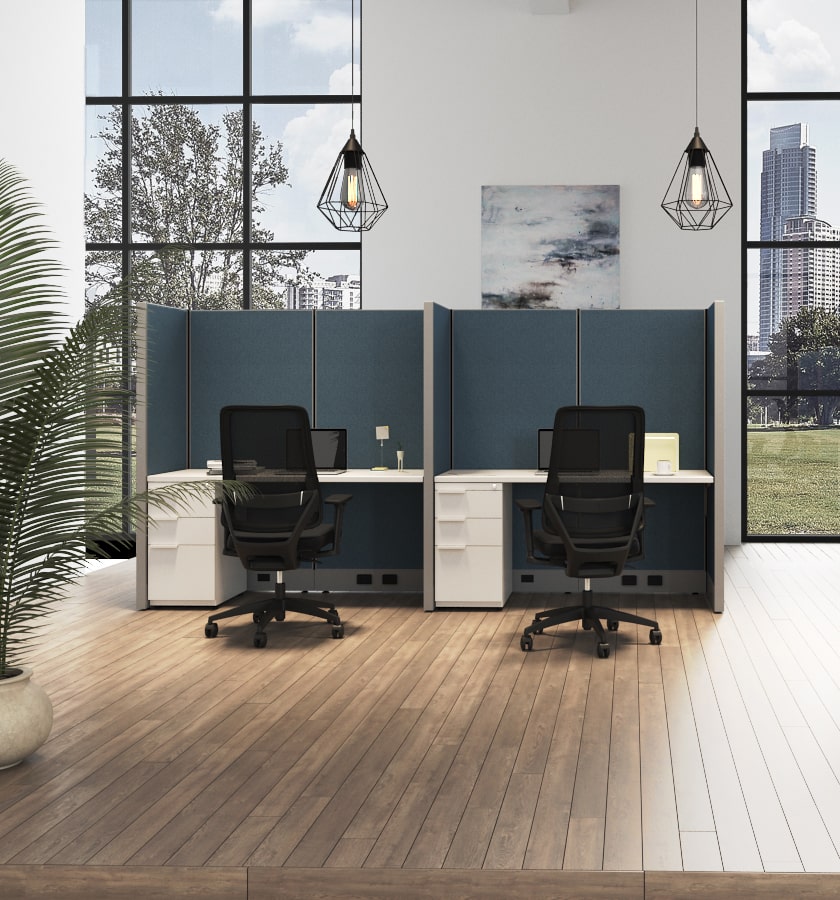
Layout should reflect the work environment. Quiet rooms need compact desks and controlled lighting. Collaborative zones benefit from movable tables and writable surfaces. In open offices, acoustic screens can reduce distracting conversations, though they cannot solve every noise problem. Style should support the culture without becoming a performance. Neutral finishes may age well, yet they can feel flat without texture or natural light. Measure twice. Then question the plan.

How to Choose the Right Workplace Furniture? - Match Materials, Layout, and Style to the Work Environment
Work Environment Typical Activities Recommended Materials Layout and Furniture Configuration Style Direction Key Performance Criteria Practical Selection Notes
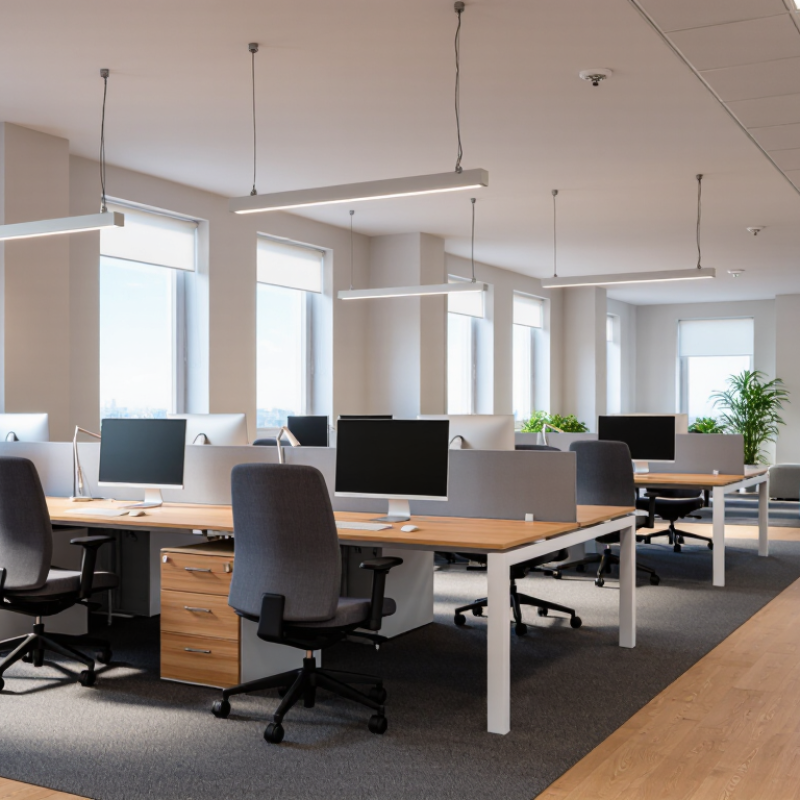
Open-plan office Individual work, team communication, scheduled meetings, shared projects Powder-coated steel High-pressure laminate Acoustic fabric Use modular desks, shared circulation paths, small collaboration zones, and partial-height screens. Keep primary walkways clear and provide a mix of individual and group seating. Clean, contemporary, and visually consistent Acoustic control, cable management, durability, reconfigurability, and ergonomic adjustability Select finishes that resist frequent cleaning and everyday abrasion. Use screens or acoustic panels without blocking natural light.
Private office Focused work, confidential calls, supervision, one-to-one discussions Wood veneer Laminate Tempered glass Textile upholstery Position the desk to reduce screen glare and allow a visitor chair or compact meeting area. Maintain adequate space for seating movement and storage access. Professional, calm, and refined Privacy, visual comfort, storage capacity, cable organization, and seated comfort Use opaque or translucent elements where confidentiality is important. Choose matte work surfaces to reduce reflections.
Collaborative project area Brainstorming, workshops, rapid planning, informal teamwork Writable laminate Solid-surface panels Durable plastic Mobile steel frames Arrange mobile tables and lightweight seating around writable walls or display boards. Allow flexible group sizes and unobstructed access to shared tools. Flexible, energetic, and informal Mobility, cleanability, impact resistance, power access, and quick reconfiguration Choose tables with lockable casters and rounded edges. Provide accessible power and surfaces that can tolerate markers and frequent use.
Reception and waiting area Visitor check-in, short-duration waiting, informal conversations Commercial-grade upholstery Engineered wood Metal Glass Create a clear arrival route with a visible reception point, varied seating heights, side tables, and sufficient space for circulation and accessibility. Welcoming, brand-neutral, and polished Cleanability, wear resistance, comfort, wayfinding, and accessibility Prefer stain-resistant upholstery and rounded furniture corners. Avoid layouts that narrow entrances or obstruct clear floor routes.
Training and multipurpose room Instruction, presentations, examinations, seminars, temporary team use Lightweight laminate Stackable plastic Powder-coated steel Use folding or nesting tables and stackable chairs. Keep sightlines toward the presentation area and provide clear paths between rows. Functional, adaptable, and uncluttered Storage efficiency, mobility, stability, cleanability, and sightline quality Confirm that folded furniture can be stored safely without blocking exits. Select chairs that support prolonged sitting and frequent handling.
Quiet library or focus zone Reading, writing, research, concentrated computer work Acoustic felt Wood veneer Laminate Low-reflective finishes Combine individual desks, high-back lounge seating, and enclosed focus booths. Separate quiet areas from main circulation and collaboration zones. Minimal, warm, and low-stimulation Sound absorption, visual privacy, lighting comfort, ergonomic support, and surface stability Use soft finishes and matte desktops to limit distractions. Avoid glossy surfaces and furniture that creates unnecessary noise when moved.
Cafeteria or break area Eating, informal conversation, short breaks, social interaction Compact laminate Stainless steel Easy-clean plastic Moisture-resistant surfaces Provide a mixture of communal tables, smaller two- to four-person tables, counter seating, and accessible routes to food and waste facilities. Casual, durable, and approachable Moisture resistance, stain resistance, hygiene, impact resistance, and efficient cleaning Use sealed edges and non-porous surfaces in areas exposed to food or liquids. Choose stable bases that are easy to clean around.
Hybrid work neighborhood Hot-desking, video meetings, focused work, short-term occupancy Durable laminate Powder-coated metal Acoustic PET felt Washable upholstery Combine reservable workstations, height-adjustable desks, touchdown counters, phone booths, and lockers. Include clear personal-storage and equipment-sharing points. Modular, technology-ready, and adaptable Adjustability, hygiene, power availability, acoustic privacy, and rapid reconfiguration Provide surfaces that can be disinfected without premature deterioration. Use consistent cable standards and enough outlets for changing users.
Creative studio or design workspace Sketching, prototyping, material review, large-format work, team critique Heavy-duty laminate Solid wood or engineered wood Steel Writable surfaces Use large worktables, adjustable-height surfaces, open shelving, pin-up walls, and dedicated zones for tools and samples. Preserve generous space for movement. Practical, expressive, and workshop-inspired Load capacity, surface durability, storage accessibility, flexibility, and task lighting Choose worktops that tolerate cutting, marking, and frequent rearrangement. Protect heavy-use edges and keep equipment storage close to work areas.

Check Quality, Flexibility, Safety, and Long-Term Value

Choosing workplace furniture requires more than matching colors or filling empty rooms. Quality should be visible in the details: sturdy joints, even surfaces, smooth drawers, and hardware that does not loosen after repeated use. Test a chair for movement, lumbar support, and adjustment range. A desk should remain stable when someone writes, types, or leans against it.

Flexibility matters because work patterns change. Adjustable desks can support sitting and standing, while movable tables help teams reshape a room quickly. Modular storage is useful when departments grow or shrink. Check whether components can be repaired or replaced. I once selected attractive chairs with limited adjustments, and employees soon added cushions. That decision looked efficient, but it was not.

Safety deserves a practical inspection. Look for rounded edges, reliable locking casters, balanced bases, and clear load ratings. Cable routes should prevent tripping near walkways. Materials should be easy to clean without producing strong lingering odors. Ask suppliers for test reports, care instructions, warranty terms, and replacement-part availability. These documents offer stronger evidence than polished product photographs. Long-term value also includes maintenance time, energy use, delivery quality, and disposal planning. A cheaper desk may cost more if it wobbles, chips, or needs early replacement. My own judgment can still be wrong, especially when a showroom hides daily wear. Use a sample for several days before ordering in quantity. Observe real users, not just specifications.