What Are the Top Smart Office Solutions for Businesses?
A modern office is shaped by small daily moments: a meeting room booked twice, a desk left unused, or a video call that starts with the wrong microphone. Smart office solutions connect tools and workplace data to make these moments easier to manage. They can include occupancy sensors, room-booking displays, connected lighting, access systems, and energy controls. The best choice depends on how people actually work, not how a floor plan looks on paper.
For business leaders, the goal is not to fill every room with devices. It is to solve specific problems while protecting employee privacy and keeping systems reliable. A sensor might help facilities teams adjust heating in an empty meeting room. A shared dashboard might reveal that certain spaces are consistently overcrowded. Useful details. But data can be incomplete, and technology needs maintenance. A faulty sensor or confusing booking screen can create new friction instead of removing it.
This guide explores leading smart office solutions, what they do, and where they fit. It also considers practical questions: Can the system work with existing equipment? Is the information easy to understand? Will staff feel comfortable using it? No platform fixes a weak workplace culture. Businesses should compare real needs, test solutions in a limited area, and review results before expanding. That takes time. Yet a careful rollout can make the office more responsive, comfortable, and efficient—without pretending that every problem has a digital answer.
What Defines a Smart Office and How Does It Work?
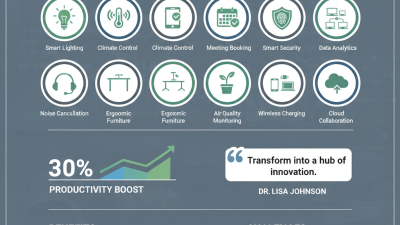
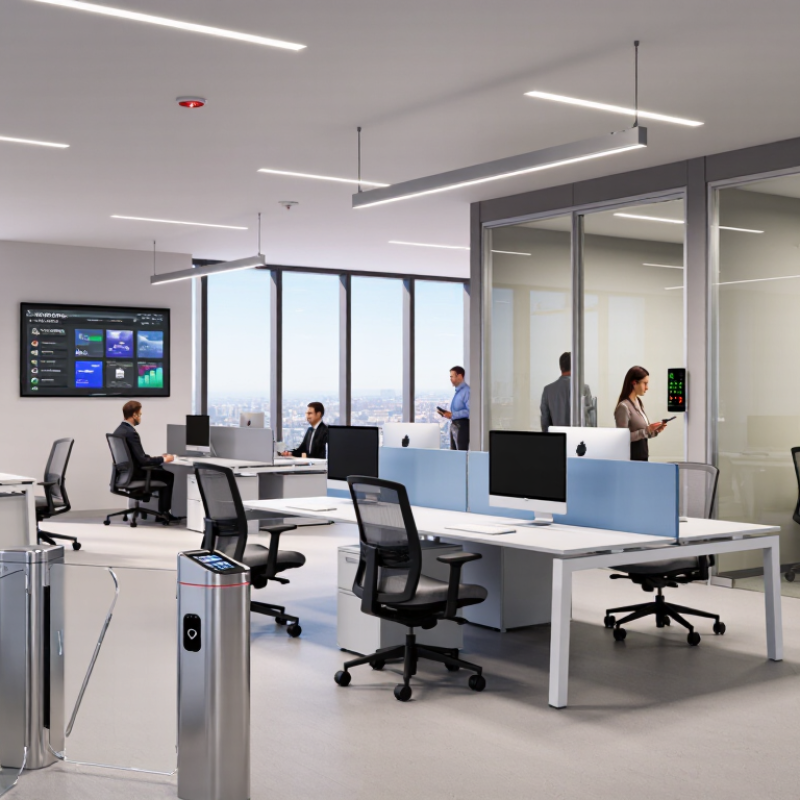
A smart office is a workplace where connected systems use data to coordinate lighting, heating, ventilation, room bookings, and other building functions. Occupancy sensors can dim lights when a desk is empty, while temperature sensors help adjust airflow across different zones. A central building platform gives facility teams a view of these systems and lets them change schedules. It is more than automation. The useful part is matching operations to how people actually use the space.
The International Energy Agency’s 2023 Buildings report estimates that building operations accounted for 30% of global final energy use and 26% of energy-related emissions in 2022. These figures cover buildings broadly, not offices alone, so they indicate the scale of the challenge rather than guaranteed savings from smart technology. Reliable systems combine sensor data with clear controls and human review. Connectivity can help, but it can also create confusing dashboards or collect more data than a team needs. That deserves a second look.
Tips: Measure current energy use, room occupancy, and comfort complaints before changing anything. Pilot one floor for four weeks, then compare results per occupied hour. Check sensor accuracy in quiet rooms, too. People do not always move enough to trigger a sensor.
Which Core Technologies Enable Smart Office Operations?
Smart office operations rely on connected sensors, building controls, and dependable networks. Occupancy sensors can detect whether a meeting room is in use, while temperature and light sensors help adjust comfort and energy use. A practical setup links these readings to heating, ventilation, air conditioning, and lighting controls. For example, lights may dim when daylight fills a window-side desk area. The system should also allow staff to override automatic settings. Comfort is personal.
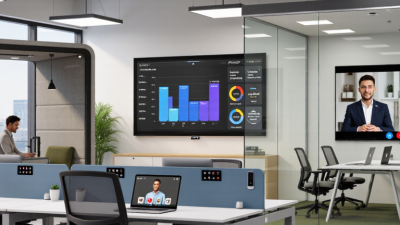
Room-booking software and digital displays can reduce scheduling conflicts, while video and audio equipment supports hybrid meetings. These tools work best when they connect through secure, well-managed networks. Access controls, encryption, software updates, and limited data collection help protect workplace systems and employee privacy. Reliable analytics can show which spaces are often underused, but occupancy data is not a perfect measure of productivity. Sensors may miss brief visits or count people incorrectly. That deserves attention. Businesses should test systems in real working conditions, check whether employees find them useful, and review settings as needs change. A technically advanced office can still feel awkward if controls are confusing or feedback is ignored.
What Are the Leading Smart Office Solutions for Businesses?
Leading smart office solutions connect room scheduling, occupancy sensing, lighting, and climate controls. A room display can show availability, while sensors reveal which spaces sit empty. Facilities teams can use that information to adjust layouts and heating schedules instead of guessing. Smart lights can dim near bright windows, reducing glare on screens. Start small. Test one floor for several weeks, then compare comfort feedback, energy use, and booking conflicts.
Tips: Give employees a simple way to report problems, such as a QR code near meeting rooms. Check sensor accuracy before relying on occupancy data. Use only the data needed to improve workplace operations, and explain what is collected.
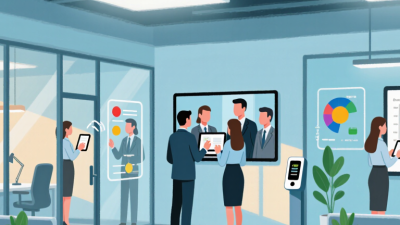
Reliable video meeting equipment and shared digital room calendars can reduce setup delays for hybrid teams. Look for systems that work with existing devices and provide clear support when connections fail. Protect office networks with access controls, software updates, and separate guest access. These measures need regular review; a secure setup can become outdated. A common mistake is buying more features than staff will use. Ask employees to test a small rollout, including people who rely on assistive technology, before expanding it.
How Do Smart Office Systems Integrate Across Workplaces?
Smart office systems work best when they share information rather than operate as separate tools. Room sensors, lighting, heating and cooling, desk booking, and access controls can feed a common building platform. A meeting room booked for six people but empty after ten minutes could release itself and adjust its lights and temperature. Small details matter. The International Energy Agency reported that buildings accounted for about 30% of global final energy consumption in 2022. Connecting occupancy data with building controls can help teams spot wasted energy, but only when the systems exchange reliable data.
Integration also connects daily workplace experience with facilities decisions. A booking system can show which desks are used, while sensor readings reveal whether those spaces are comfortable. The U.S. Department of Energy’s Smart Energy Analytics Campaign reported median energy savings of 6% among participating buildings. That is useful evidence, not a guaranteed result for every office. Older controls may use incompatible data formats, and occupancy information needs careful handling. Start with a few connected systems, check whether their readings match what staff experience, and revise the setup when they do not. A dashboard can look convincing while still missing a cold corner or a room that nobody can actually book.
Smart Office Integration Priorities: Commercial Building Energy Use
U.S. commercial building energy consumption by end use, 2018
HVAC and lighting are major opportunities for smart-office integration. Building management systems can connect occupancy sensors, lighting controls, HVAC, and energy meters to coordinate operations across workplaces.
Source: U.S. Energy Information Administration, 2018 Commercial Buildings Energy Consumption Survey (CBECS). Values are shares of commercial building energy use.
What Factors Guide Smart Office Selection and Implementation?
Smart office selection should begin with daily work patterns, not impressive devices. Identify where meeting rooms sit empty, where video calls disrupt quiet work, and which rooms feel stuffy. The International Energy Agency’s 2023 Global Status Report for Buildings and Construction says building operations account for about 30% of global final energy use. That makes occupancy sensors, connected lighting, and responsive heating and cooling worth evaluating. Still, energy savings depend on schedules, building design, and staff behavior.
Check interoperability, cybersecurity, accessibility, and total operating costs before buying. Ask whether room-booking tools work with existing calendars and whether staff can adjust lighting without an app. Pilot the system on one floor, then compare energy use, room availability, and employee feedback against a baseline. A dashboard can look impressive and still miss the actual problem. Small pilots also expose awkward issues, such as sensors reading an empty room as occupied.
Tips: Set measurable goals before installation. Test devices during a normal workweek, including busy meeting hours. Explain what occupancy data is collected and who can view it. Review results after several weeks; if people keep overriding settings, the design may need adjustment.